KDE is golden
Im still on Fedora lol, havent jumped to another distro, but i think ive used Fedora Gnome for like 6+ months, fedora as is, has been really really good, but gnome tho, that thing is buggy and feature less.
Gnome is a pretty but dumb blonde bimbo
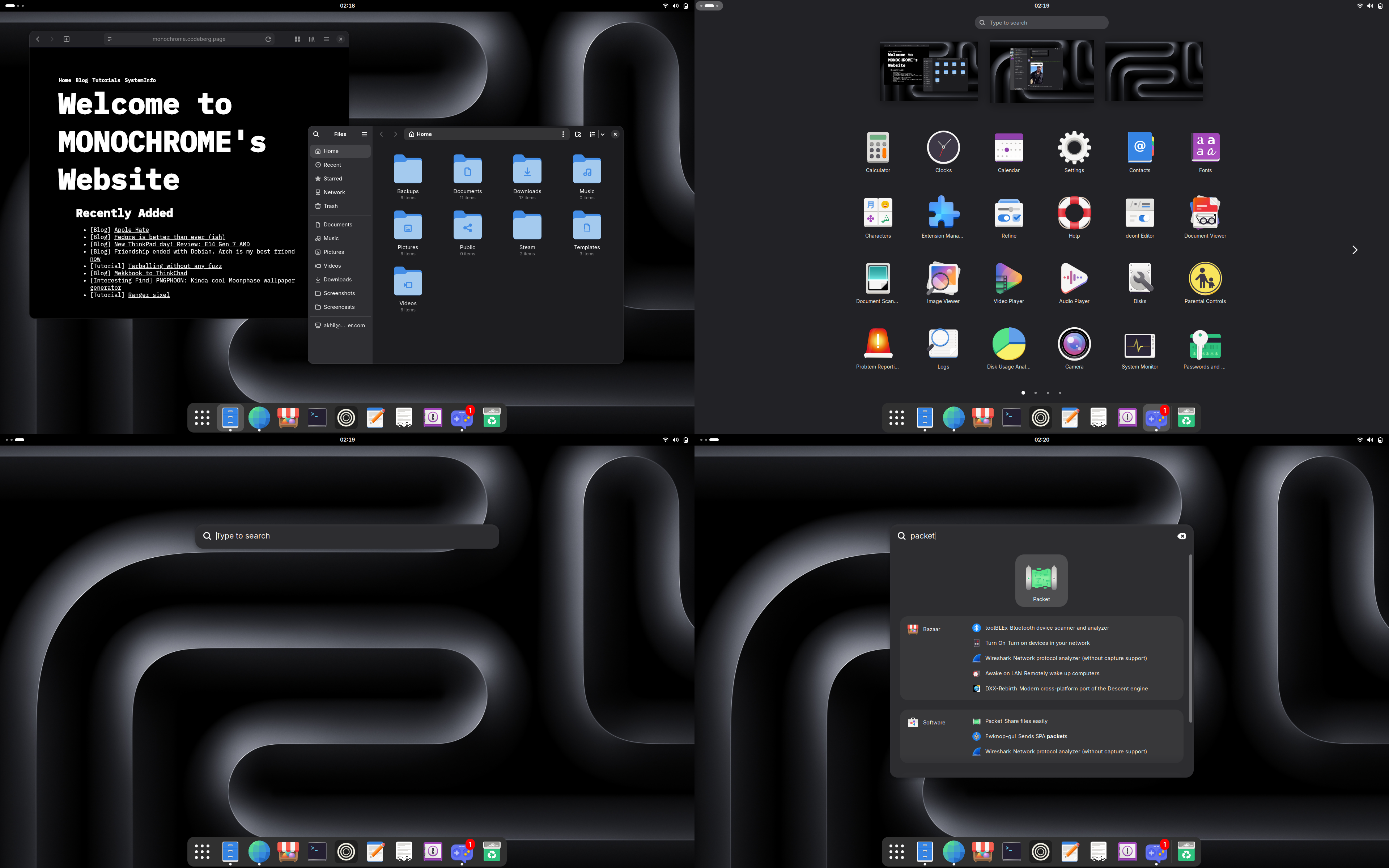
Yeah that sounds harsh, but trust me, it makes sense once you read the whole thing. Gnome looks amazing, I am one of the monsters who likes how vanilla gnome looks without any tweaks like blur my shell and all. The more I used gnome for actual work, the more I found its faults and features that it was missing.
- No clipboard manager: If you have to paste the same thing multiple times at multiple instances, you gotta go find em first. WOW! Even XFCE has a clipboard manager preinstalled btw. Sure, install an extension like clipious and it gives you a clipboard manager, but I had issues of Gnome shell crashing and wont let me log in thanks to clipious db getting corrupted while trying to copy an email at work DURING WORK HOURS!
- No proper window management: It has only very basic window management with left and right half splits, doesnt even do that on a vertical monitor, ofcourse, there is no corner tiling. sure theres an extension for it as well, but when you tile a window, the curved corners dont get straighened, so it looks weird, but thats not that big of an issue, but since the extension is just resizing the windows manually, when you open a new window that you tiled once, it will be in that size, eg: snap left the file manager and every other instance of file manager you spawn will be super tall and take up half the screen and you have to manually resize them EVERYTIME!
- No Dock, Dash isnt Dock Gnome by default doesnt have a dock, it has a dash which is like a hidden dock which only shows up when you go into the overview, thats 1 extra button I have to press to open a program, I was fine with it, until a friend of mine forced me to try dash to dock, and I kept it around since its more nicer to have, but after a while, dash to dock has an intellihide feature so it auto hides if a window is touching it, but that broke after a gnome update and hasnt been fixed yet
- General lack of features and bugs on basic thingsMost gnome apps have the same philosophy of having the basic amount of features and nothing more, so if you want to do something thats not the bare basics, you cant, and then, I was having bugs with the file manager which on scrolling starts to stutter and goes up and down frantically like it has as stroke. It was on gnome 49 and is also there on 50 as well
KDE is the GOAT
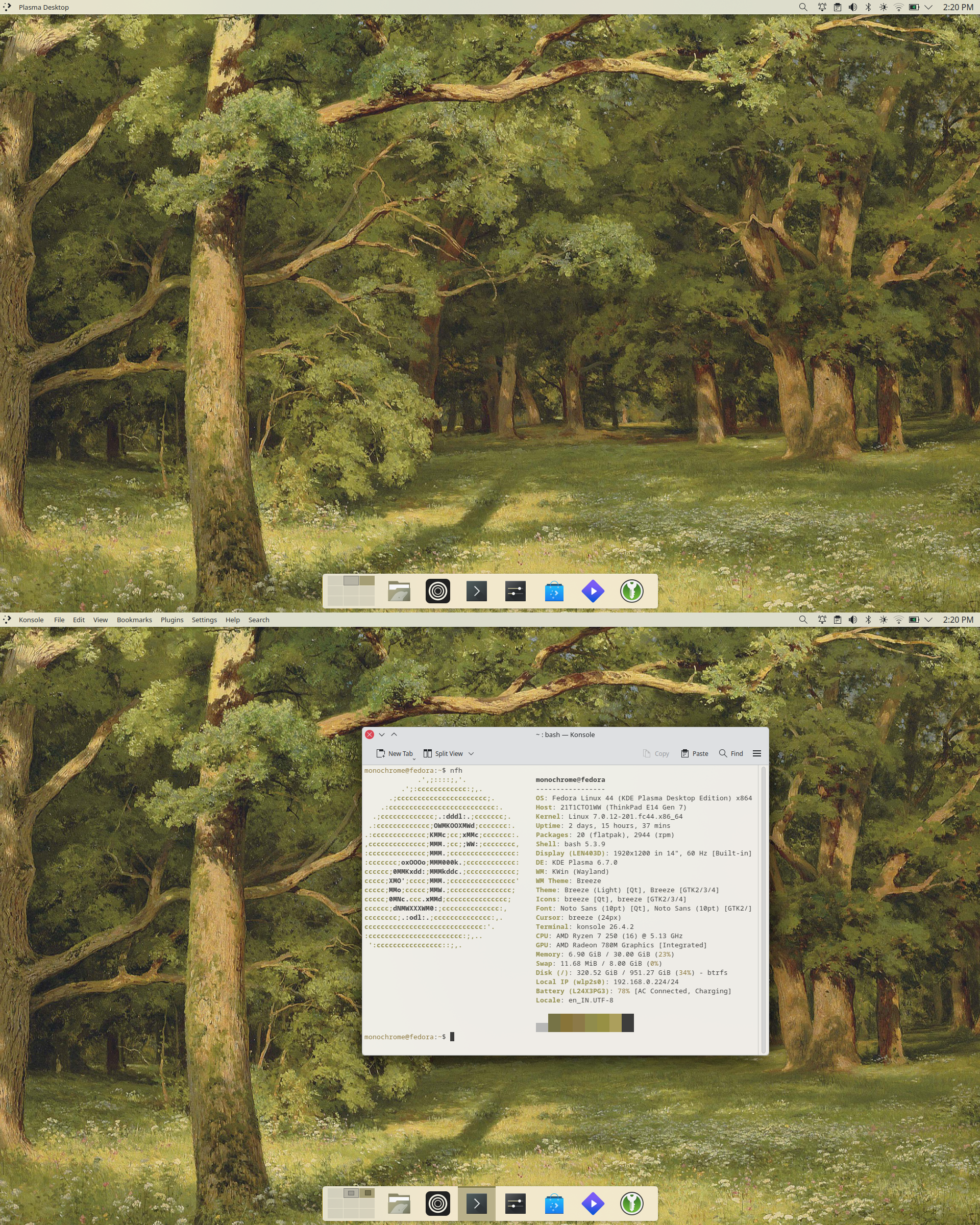
I could go on and on, but I like to keep this short kekw. So I did the obvious next choice, jump to Fedora KDE, since KDE is not Gnome and doesnt follow their philosophy of providing the bare minimum, I get everything I want, that too without needing to add any extension, plugin, add-on etc while getting more and more features that make my life a lot more easier.
- Built in clipboard manager
- Window tiling: I get all the main tiling stuff, like left and right half, corners, and even top and bottom half, which is useful on vertical monitors, on top of all this, I can create my own snapping grids manually and snap things to that
- completely configurable shell: I dont like the windows style layout, so I changed it to a Mac like layout within 10 seconds. A top panel with global menu and a bottom dock which has a working auto hide feature
- Feature richness of a program is refreshing, have I told you about our lord and saviour Dolphin file manager? I has an integrated terminal and double pane modes, so its super quick and easy to move to folders and have multiple folders open on the screen. I really love how the terminal will automatically cd into the folder you are on the graphical part of the file manager, and you can cd using the terminal and the gui will jump to that folder. I use this workflow where i changed cd to zoxide, so it remembers which folders I have been, so I can just run `cd pages` and it will automatically move to the folder on the gui, I had issues with images not showing up for music on the file manager, then I realised that the album art in the meta data is tagged as "Other" and not "Cover(front)", ofcourse the gnome app I used to use wont lemme change anything like that, but a KDE app called kid3-qt lets me. The software situation is like that, tons of useful features in a pretty clean way
- Krunner is spotlight: Its your spotlight on KDE, does everything that spotlight does, search files, applications, web search, spelling, dictionary, unit convertion, currency convertion and even more. Sure gnome does have this, but you need a specific extension to make the full screen gnome search into a small bar like krunner and spotlight so i can read the things on screen while typing it out on the search bar for a result
- Didya know, you know you can just scroll on the brightness, volume applets and it changes the values!?
- Didya know, you can set a priority list for what program opens a file, so you can make it open a program with left click and a completely different program with middle click and another for shift middle click. So I have stuff like music metadata editors, video encoders etc which I use often as the middle click option for ease of use
Ok, im kinda tired of typing all this, go and explore KDE, shit is loaded with features and its very quick and snappy and doesnt use much resources as well